Step 1 - Authentication via API key
- Use an HTTP Request node and select the following options:
- Authentication:
Generic Credential Type - Generic Auth Type:
Header Auth - Header Auth:
Header Auth account
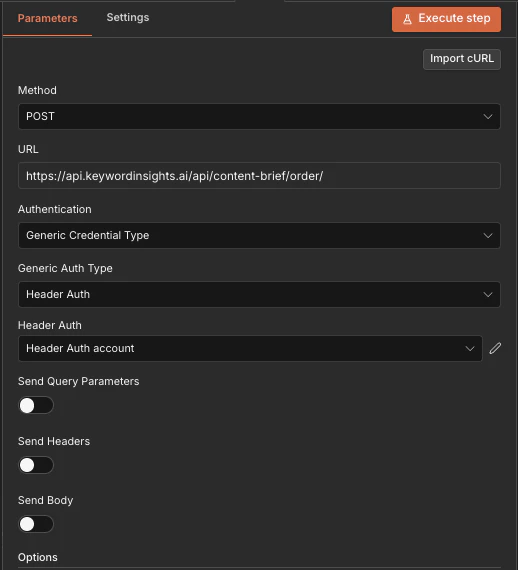
- Then click the
Edit Pencil iconto open up the detail model to enter your API key: - Then in the modal, add X-API-KEY:
kwi_sk_aBcDeFgHiJkLmNoPqRsTuVwXyZ1234567890abc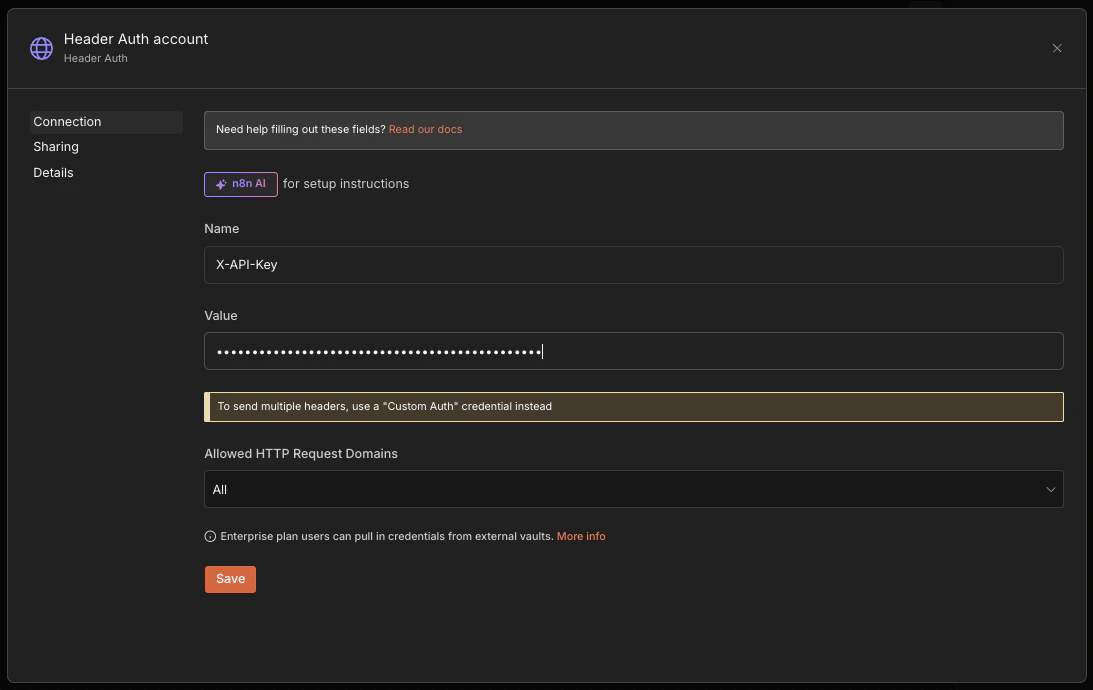
Alternatively you can authenticate via username and password
- Use an HTTP Request node
- URL:
https://api.keywordinsights.ai/authentication/login - Method:
POST - Body -> JSON:
{ "email": "<email>", "password": "<password>"}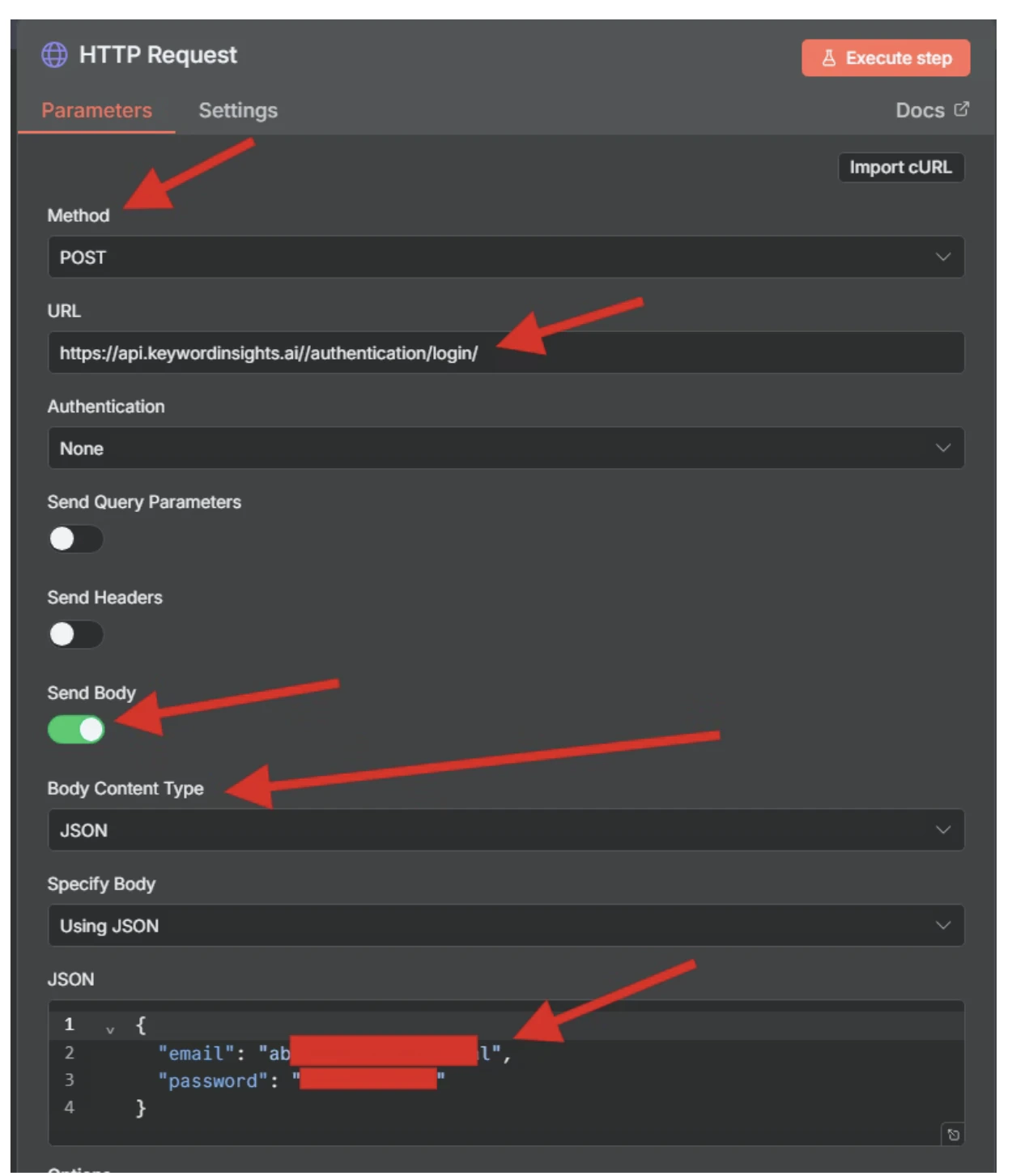
Step 2 - Creating a Content Brief Order
- Ensure the output of the Auth node shows in the second node
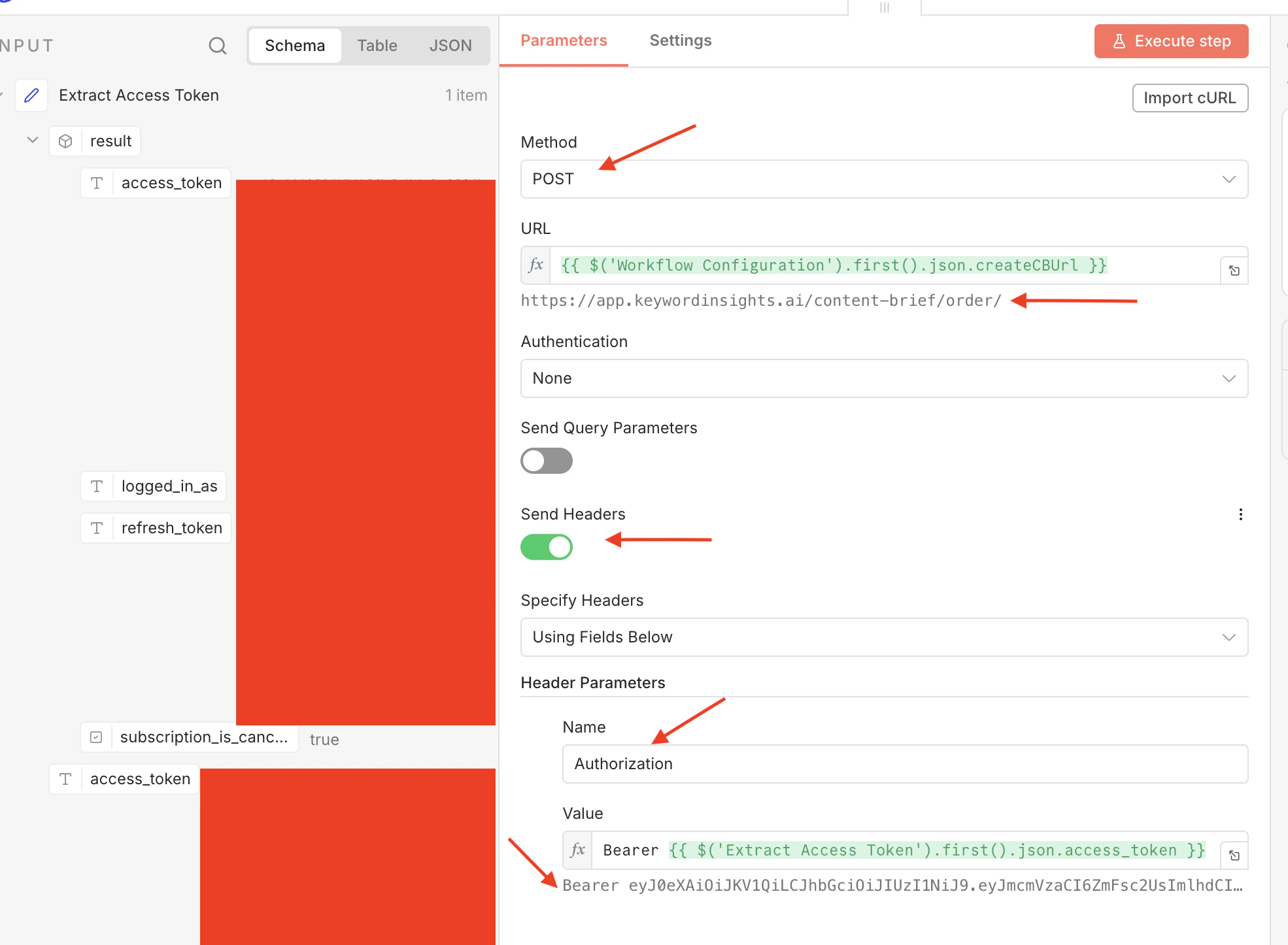
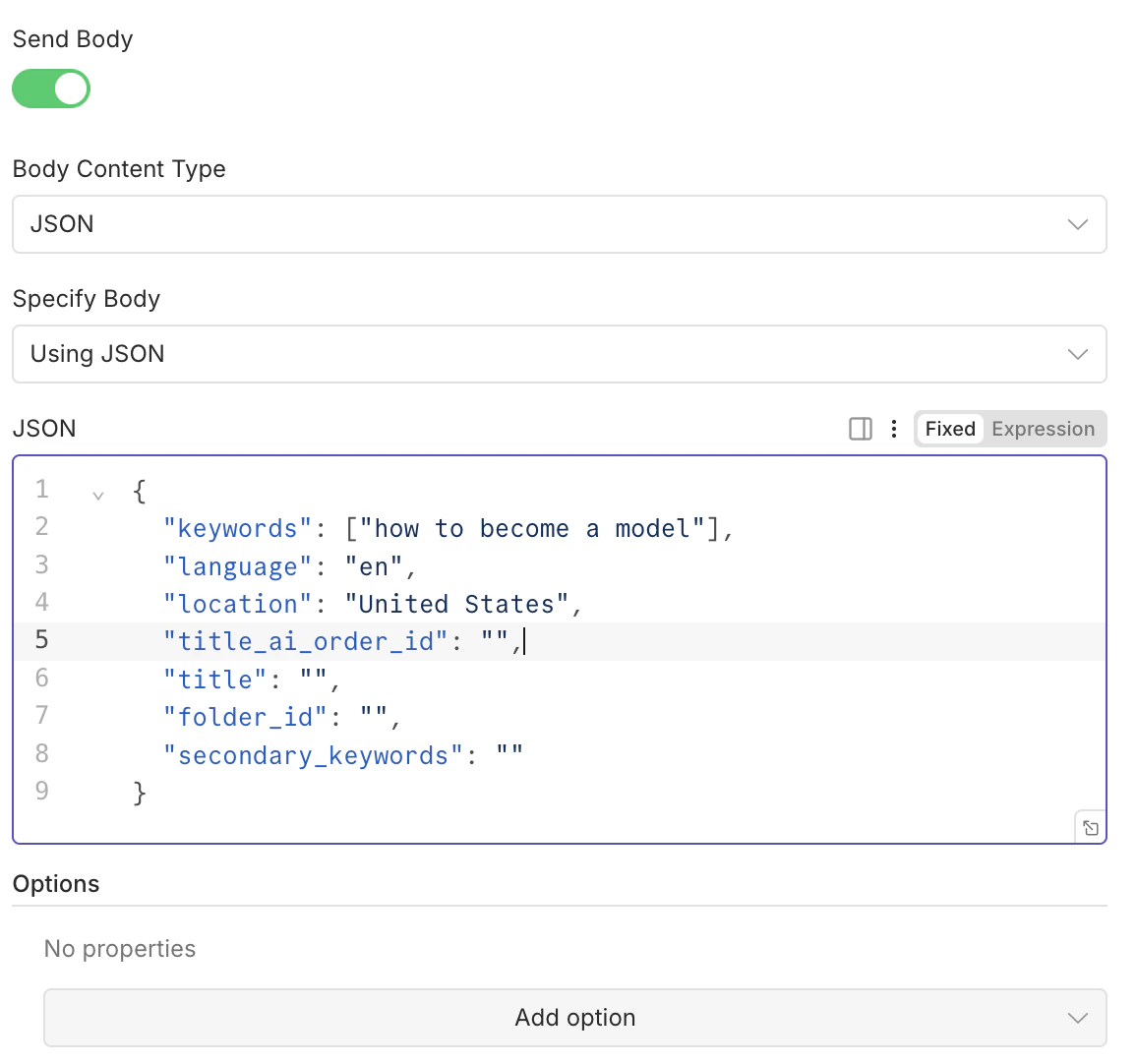
- Paste the following json into the body,
folder_id: optional if you want the project placed in a specific foldersecondary_keywords: optional to provide more detail
keywords: pass up to 25 keywords, in a comma separated list within the array brackets[]