Keyword Insights Documentation home page
Search...
⌘K
Support
Dashboard
Dashboard
Search...
Navigation
Payments & Credit Cards
Changing billing name or address
Getting Started
What is Keyword Insights?
Learning Center
Keyword Insights Tool Workflow
The Features
Freemium Tools
User Guide
How To Get The $1 Trial
How To Build Keyword Lists
Understanding the Output
How to Interpret Clusters with In-app Visualizations
How to Interpret Clusters in Google Sheets
How to Interpret Topical clusters
How to Interpret Context/Intent
Tool Use Cases
Finding Keyword Cannibalisation (Case study 1)
Finding Keyword Cannibalisation (Case study 2)
Finding Content Gaps
Uncover Keyword Opportunities
Find Intent Misalignment
Building service level pages
Finding Reddit Opportunities
New file
Account Management
Pricing
Subscription Management
Payments & Credit Cards
Payments & Credit cards
Downloading invoices
Add or change VAT number
Changing billing name or address
How to add a backup payment method
Changing credit card details
Team Management
Data Retention
Data storage and limits
Integrations
Google Search Console
Wordpress
Utilities
Workspaces
API
How to use the Public API?
API Use Cases
FAQs
Frequently Asked Questions
Language Support
Exporting Data
Help & Support
Getting Support
Affiliate Program
Changelog
Payments & Credit Cards
Changing billing name or address
Copy page
Copy page
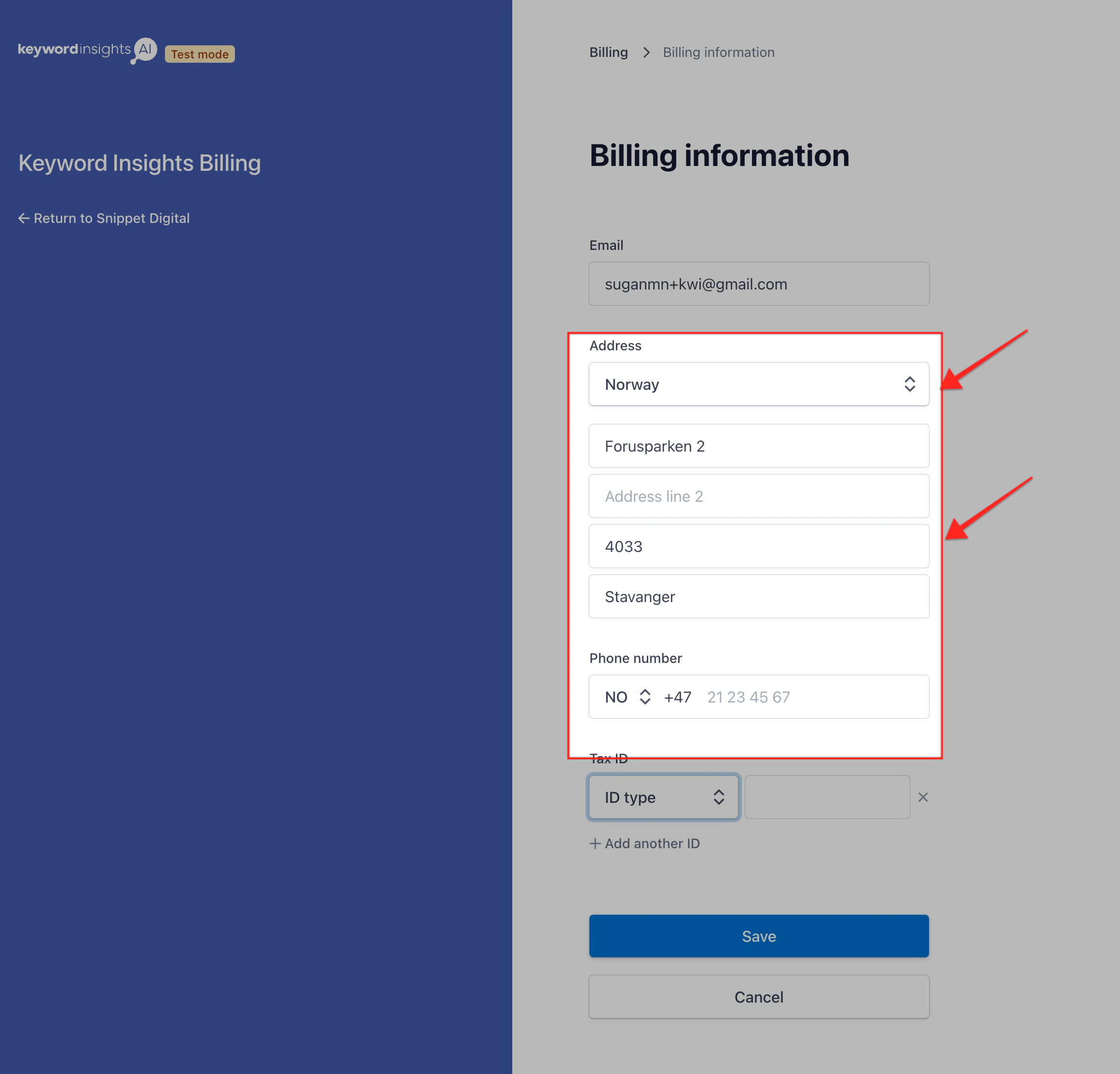
If you want to change your billing name or address;
Click the user icon in your top right-hand corner, and select -> Billing settings -> Manage billing settings.
Update your address or name here and click Save.
Add or change VAT number
How to add a backup payment method
⌘I