> ## Documentation Index
> Fetch the complete documentation index at: https://docs.keywordinsights.ai/llms.txt
> Use this file to discover all available pages before exploring further.
# N8N - Writer Assistant
> Create a basic N8N Flow for Writer Assistant Orders
## Step 1 - Authentication via API key
* Use an HTTP Request node and select the following options:
* Authentication: `Generic Credential Type`
* Generic Auth Type: `Header Auth`
* Header Auth: `Header Auth account`
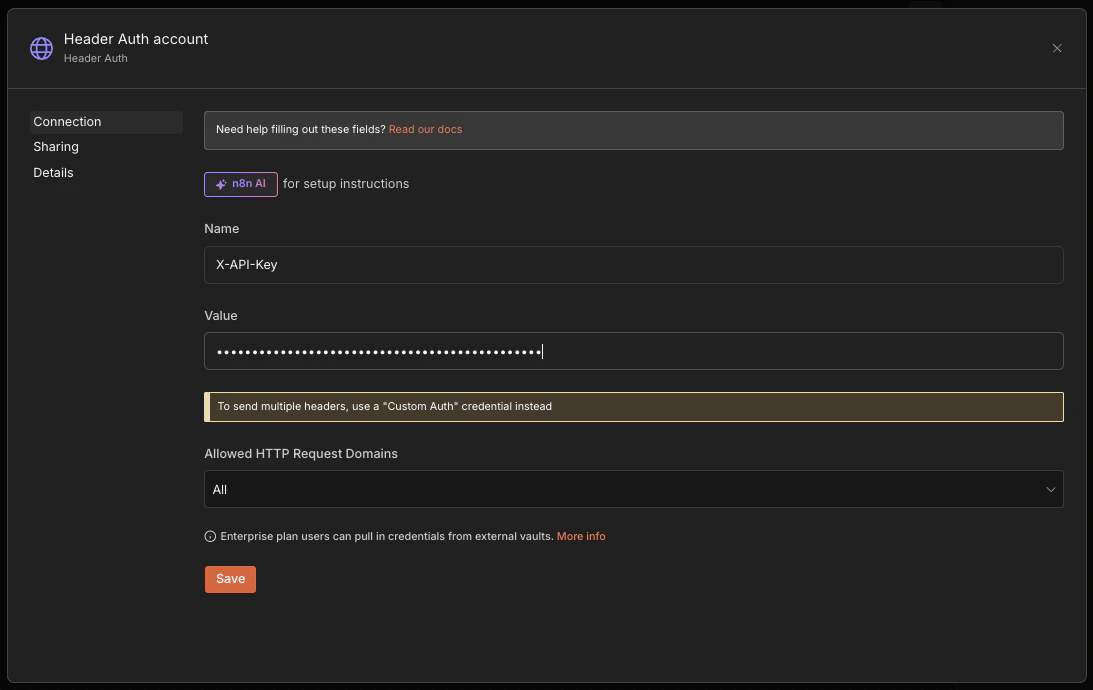
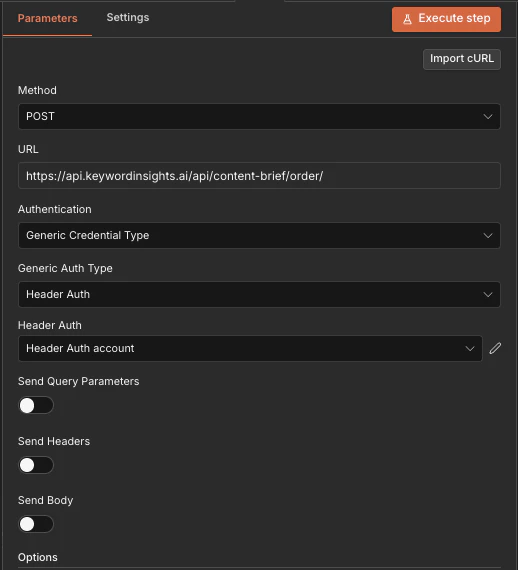 * Then click the `Edit Pencil icon` to open up the detail model to enter your API key:
* Then in the modal, add X-API-KEY: `kwi_sk_aBcDeFgHiJkLmNoPqRsTuVwXyZ1234567890abc`
* Then click the `Edit Pencil icon` to open up the detail model to enter your API key:
* Then in the modal, add X-API-KEY: `kwi_sk_aBcDeFgHiJkLmNoPqRsTuVwXyZ1234567890abc`
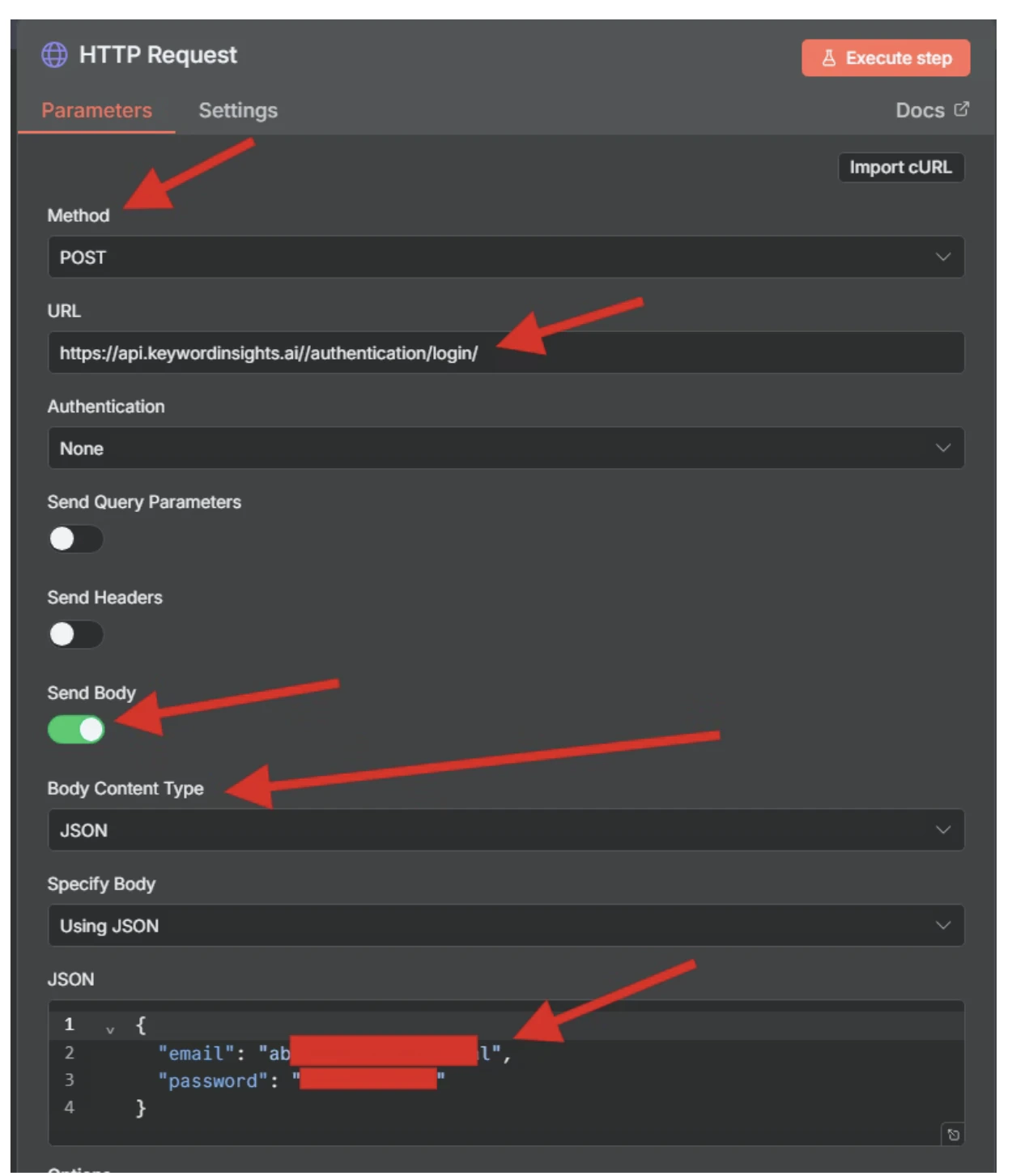
 ### Alternatively you can authenticate via username and password
* Use an HTTP Request node
* URL: `Keywordinsightsapi.keywordinsights.ai/authentication/login`
* Method: `POST`
* Body -> JSON: `{ "email": "", "password": ""}`
### Alternatively you can authenticate via username and password
* Use an HTTP Request node
* URL: `Keywordinsightsapi.keywordinsights.ai/authentication/login`
* Method: `POST`
* Body -> JSON: `{ "email": "", "password": ""}`
 ## Step 2 - Creating a Writer Assistant Order
* Ensure the output of the Auth node shows in the second node if you are using the legacy username and sandbox
## Step 2 - Creating a Writer Assistant Order
* Ensure the output of the Auth node shows in the second node if you are using the legacy username and sandbox
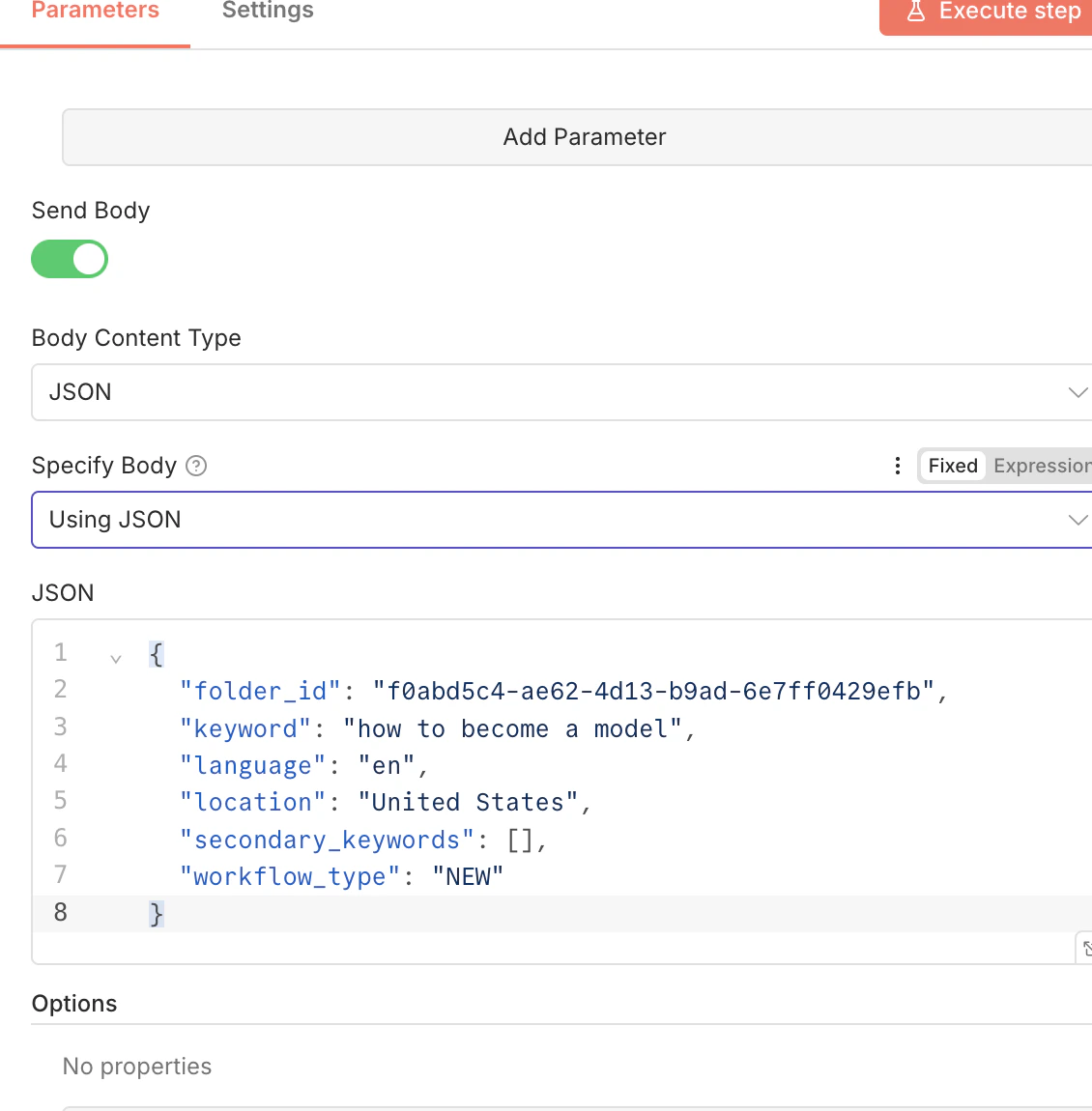
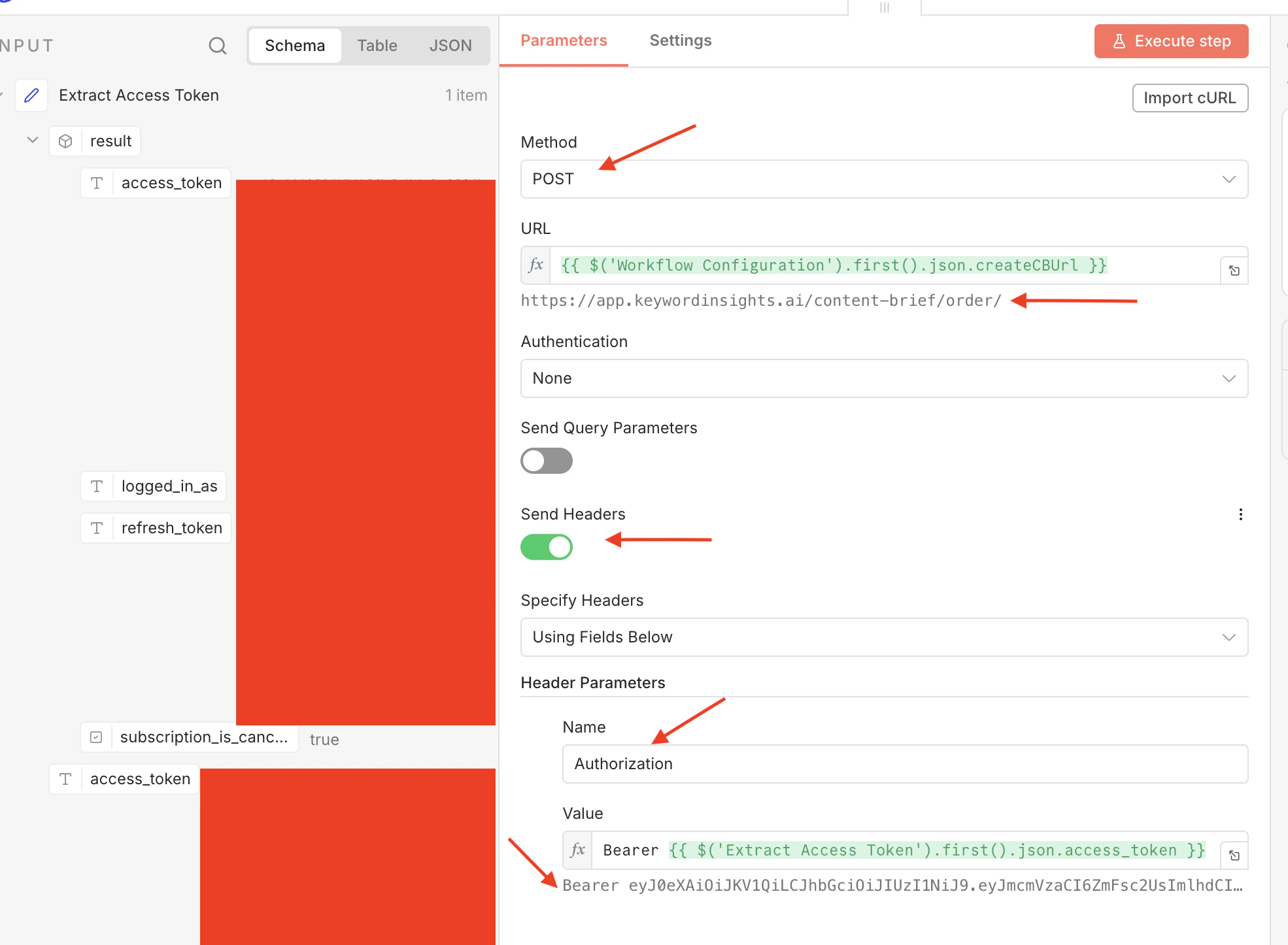 * Paste the following json into the body,
* `folder_id`: optional if you want the project placed in a specific folder
* `secondary_keywords`: optional to provide more detail
* `workflow_type`: NEW | OPTIMIZE | CONTENT\_BRIEF
* `keywords`: pass up to 25 keywords, in a comma separated list within the array brackets `[]`
### Workflow Type: NEW
```
{
"folder_id": "",
"keyword": "how to become a model",
"language": "en",
"location": "United States",
"secondary_keywords": [],
"workflow_type": "NEW"
}
```
### Workflow Type: CONTENT\_BRIEF
* `content_brief_order_id`: equired parameter of an existing content brief from which you plan to create a Writer Assistant Order
```
{
"folder_id": "",
"workflow_type": "CONTENT_BRIEF",
"content_brief_order_id": "str"
}
```
### Workflow Type: OPTIMIZE
```
{
"folder_id": "",
"keyword": "news",
"language": "en",
"location": "United States",
"workflow_type": "OPTIMIZE",
"content_url": "https://www.bbc.com/...."
}
```
* Paste the following json into the body,
* `folder_id`: optional if you want the project placed in a specific folder
* `secondary_keywords`: optional to provide more detail
* `workflow_type`: NEW | OPTIMIZE | CONTENT\_BRIEF
* `keywords`: pass up to 25 keywords, in a comma separated list within the array brackets `[]`
### Workflow Type: NEW
```
{
"folder_id": "",
"keyword": "how to become a model",
"language": "en",
"location": "United States",
"secondary_keywords": [],
"workflow_type": "NEW"
}
```
### Workflow Type: CONTENT\_BRIEF
* `content_brief_order_id`: equired parameter of an existing content brief from which you plan to create a Writer Assistant Order
```
{
"folder_id": "",
"workflow_type": "CONTENT_BRIEF",
"content_brief_order_id": "str"
}
```
### Workflow Type: OPTIMIZE
```
{
"folder_id": "",
"keyword": "news",
"language": "en",
"location": "United States",
"workflow_type": "OPTIMIZE",
"content_url": "https://www.bbc.com/...."
}
```